Photo Credit: Western
Changes Coming to OWL Brightspace in May
Added on April 17, 2026 by Allyson Steward
There are a number of feature enhancements coming to OWL Brightspace on May 1, 2026, ahead of the Spring and Summer 2026 terms. These changes are being implemented to improve OWL Brightspace functionality for all roles in both academic and supplementary courses.
Enhanced Table of Contents in Content
The Content tool will now use the Enhanced Table of Contents which includes a new streamlined look and improved functionality, ensuring that OWL Brightspace continues to offer the newest Content features from D2L. This functionality includes:
- Unlimited Levels of Page Depth
- Drag and Drop Between Levels
- Learner Completion Progress
- Visibility Settings for Assignments and Discussions
Unlimited Levels of Page Depth
Instructors, Facilitators, Course Admins, and Maintainers can add and access content at any level of depth. You are no longer limited to five levels of subpage depth under a unit in Content.
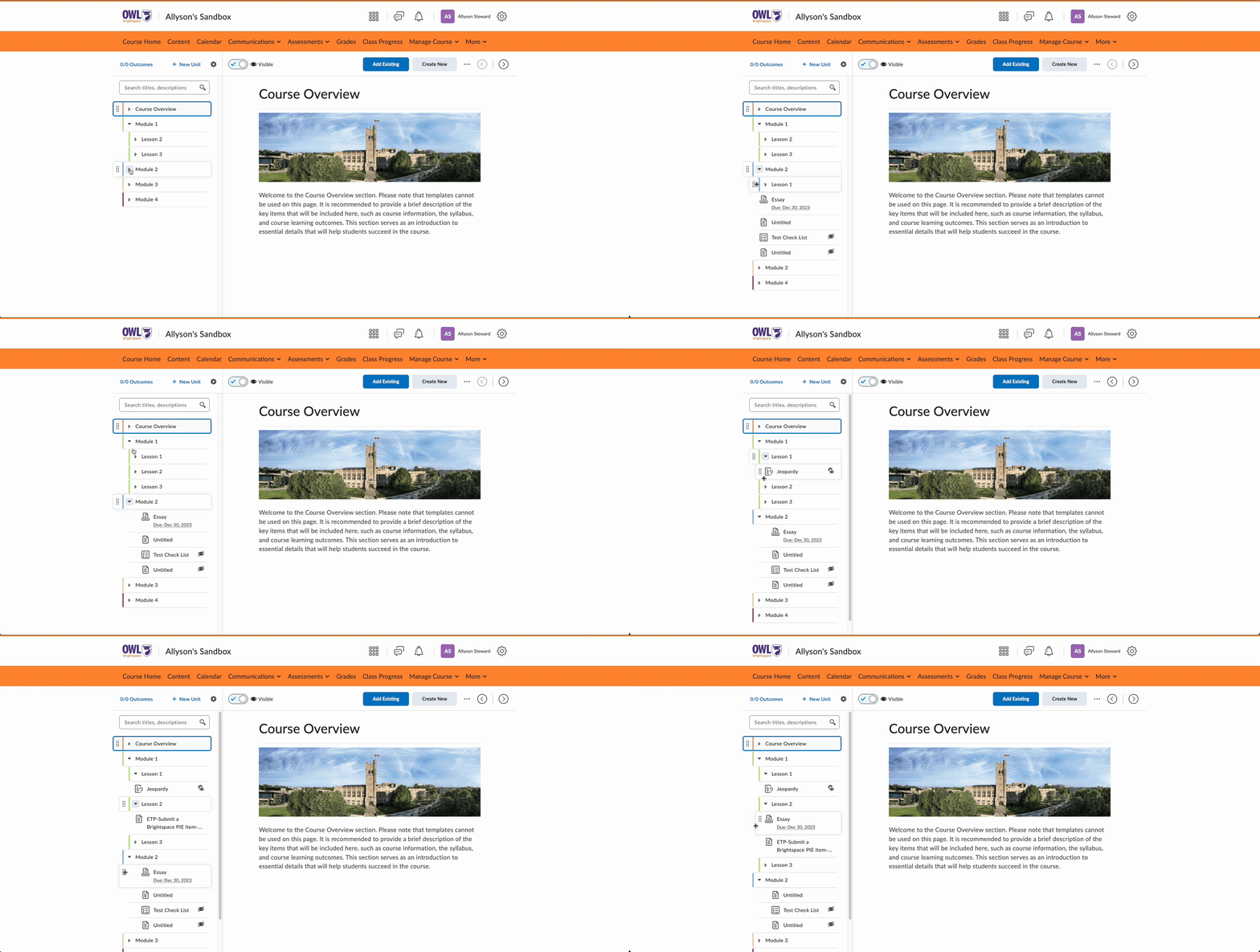
Drag and Drop Between Levels
Instructors, Facilitators, Course Admins, and Maintainers can move content items between levels of depth. With this increased freedom, you can more easily organize your content.
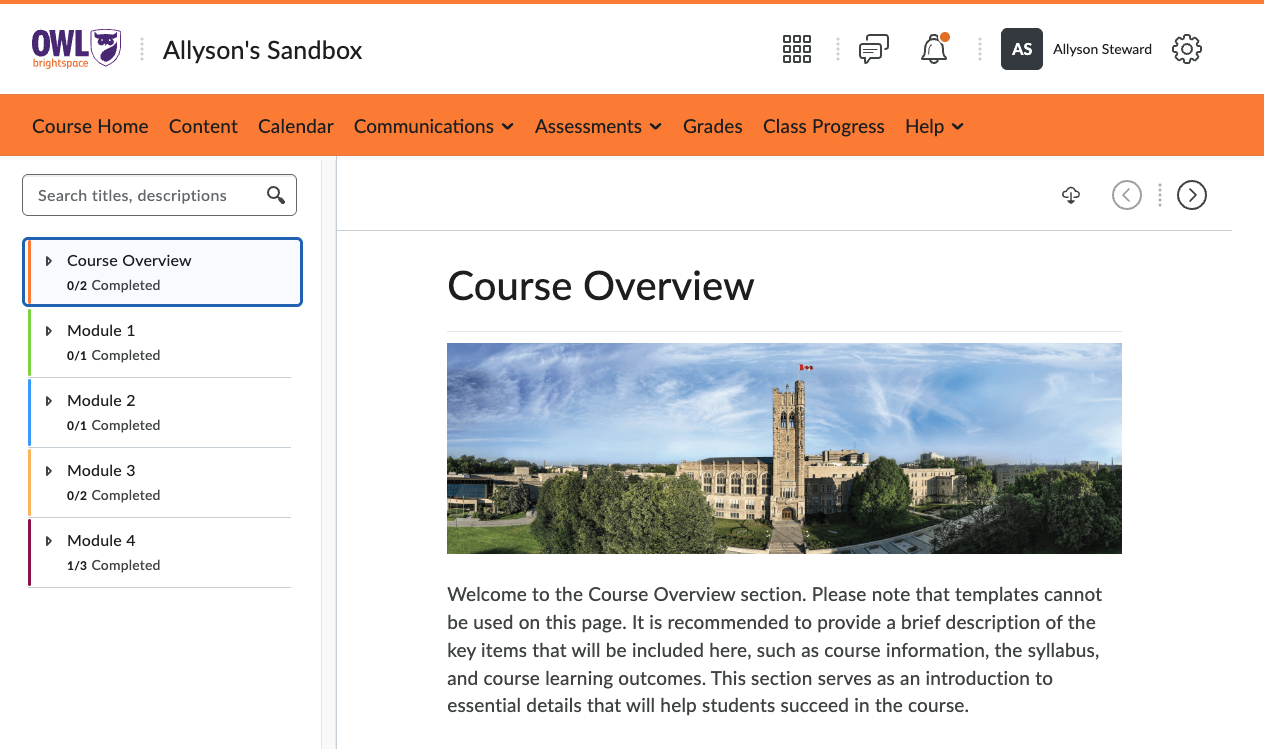
Learner Completion Progress
Learners, Participants, and Members will be able to track their completion of items within each unit and subpage in Content. Completion is tracked based on when the user visits a page, submits an assignment, completes a quiz, or posts in a discussion. Each unit and subpage displays a completion tracker that will update to reflect their progress. This change allows people in these roles to easily track what pages they haven’t visited and what assessments and activities they have yet to complete.
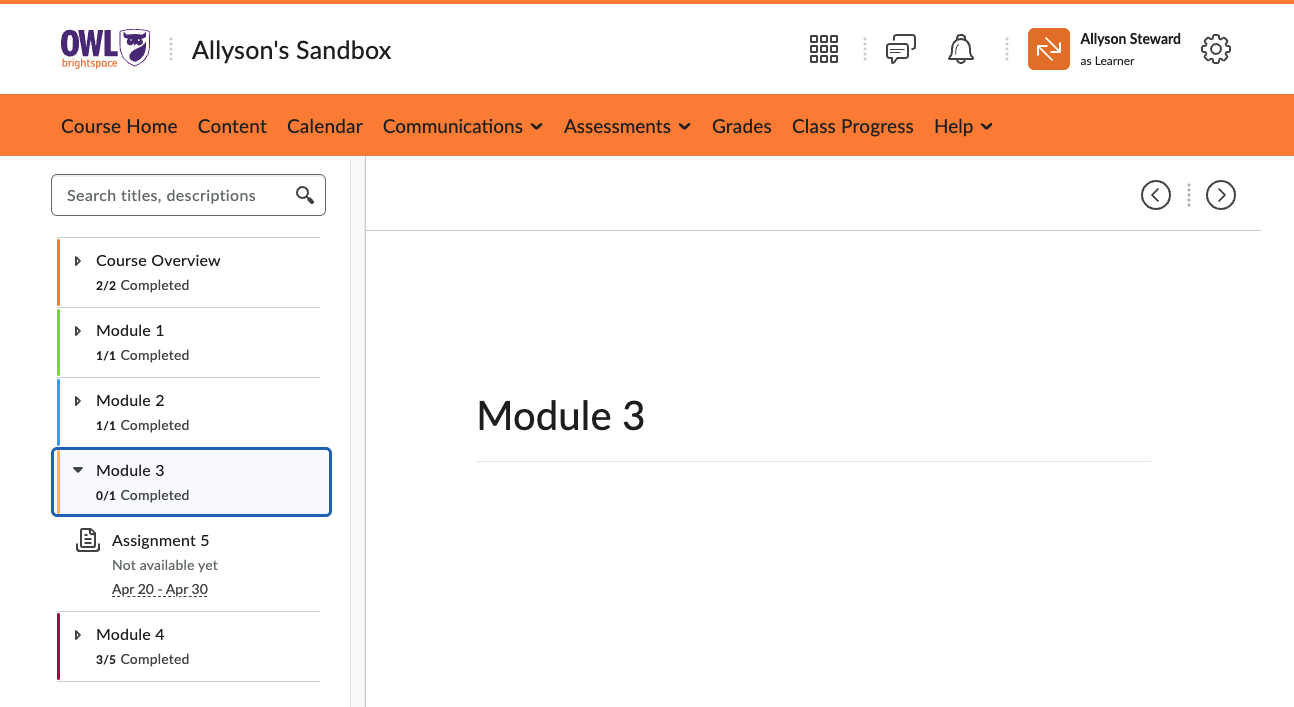
Visibility Settings for Assignments and Discussions
The visibility settings of assignments and discussions control whether a Learner, Participant, or Member can access or submit to the assignment or discussion before the start date or after the end date. These settings will now be accurately reflected in the Content tool, ensuring that Learners can only see and access what the Instructor, Facilitator, Course Admin, or Maintainer intends.
Attendance Tool
The Attendance tool will now be available to Learners, Participants, and Members. This change will allow people in these roles to access attendance registers that are visible in the course. Instructors, Course Admins, Facilitators, and Maintainers will have control over what attendance registers are visible in their course.
All users can find the Attendance tool in the course nav. bar under the Progress dropdown which also contains the Class Progress tool, where student progress can be tracked based on content access, assessment submissions and grades, checklist items, discussion posts, and more.
More information on managing the Attendance tool is available on the D2L Brightspace Community.
Automatic Zero Grade Option
Automatic Zero for Missing Submissions will appear as an option in Grade Settings in all courses. Instructors, Facilitators, Course Admins, and Maintainers can choose to enable this setting. When enabled, Learners, Participants, and Members in a course will receive an automatic zero on assessments with no submission after the due date, removing the need to manually assign a zero grade for unsubmitted work. Instructors can also override the zero grade if desired.
This setting only applies to assessments with a future due date and cannot be enabled to retroactively grade past assignments, so it is recommended that you enable it at the start of your course if you intend to use it.
More information about this setting is available on the D2L Brightspace Community.