

Search Website
Auto-Pilot Camera
A multi-camera "Auto-Pilot" system can capture a presenter as they move about the front presentation area, or as an optional feature - a wide shot of participating audience members when they are speaking.
The presenter need not concern themselves with managing cameras due to the unique way in which the a/v system is programmed. In conjunction with location information provided by the ceiling microphones, the multi-camera "Auto-Pilot" system will dynamically switch between the various camera position so that the presenter remains within the main field of view.
Compared to a typical a/v setup the end-user will not see a drastic difference in the a/v interface, or system operation because the added technology is automated to function in the background.
Note: this system processes acoustic data to trigger camera switching. Some latency may occur due to interactions between the volume level of individual participants, overall noise levels and room acoustics.
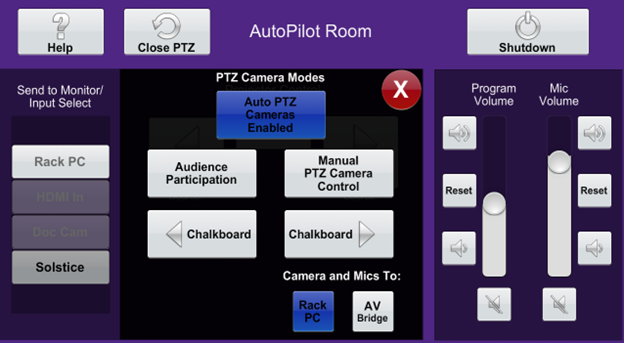
Camera Control Modes
Auto-Pilot Mode
Enabling the Auto-Pilot mode, enables dynamic switching between the various cameras. Depending on the location of the presenter within the presentation area the Auto-Pilot system will select the applicable camera angle and automatically switch to that field of view.
Audience Participation Mode
Enabling the Audience Participation mode will enable the audience-facing camera. When a member of the audience speaks, the audience-facing camera will present a wide-shot of audience.
Note: Audience Participation mode supports a "No-Capture" zone which limits the field of view of the audience- facing camera.
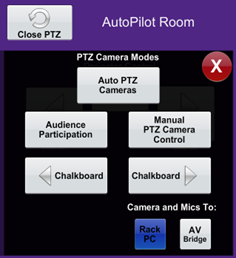 Camera control modes
Static Camera Preset
Several static presets exist within the camera controls to support common viewing perspectives. While the chalkboard left and right presets have a viewing angle intended to capture the left & right writing surfaces.
Availalbe Presets:
- Instructor Close Up
- Instructor Wide Shot
- Wide Shot
- Instructor Left
- Centre Close Up
- Instructor Right
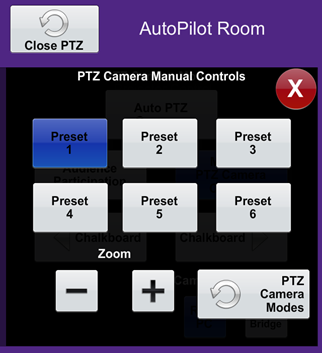 Camera preset options on the touchscreen
Viewing the Camera
From the Rack PC or AV Bridge