

Search Website
Audio Visual Control Systems
Presenter Controls Dashboard
Audio Visual Control Systems
Presenter Controls Dashboard
Audio Visual Control Systems
Presenter Controls Dashboard
Presenter Controls Dashboard
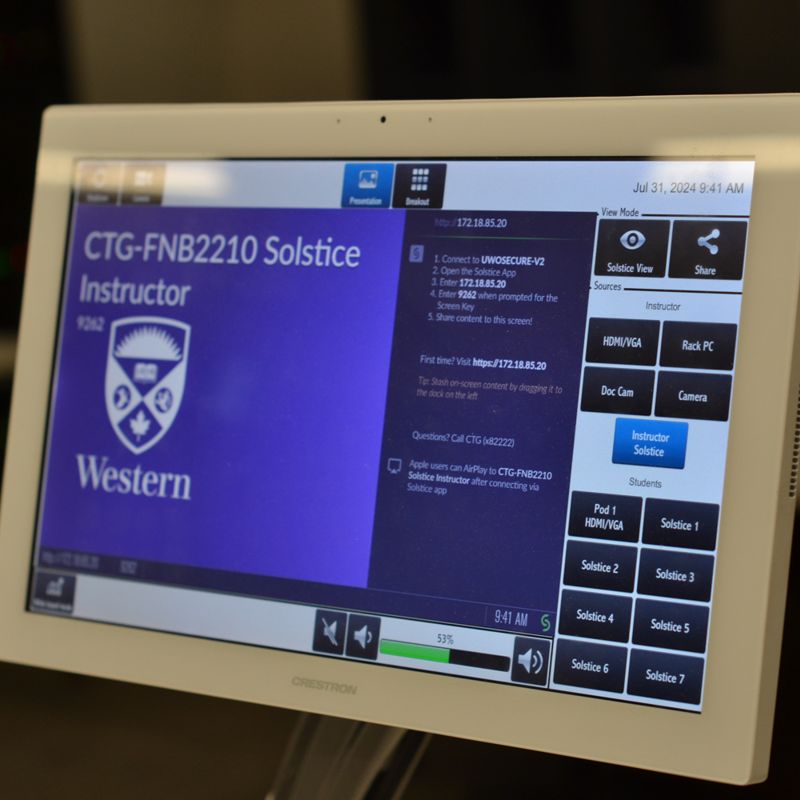
The a/v control interface in G.U. classrooms
Provides the end-user that ability to power the a/v system on, and off; adjust audio levels, enables routing, and control over video content. Additionally, the end-user may physically connect their own device to the system through various connectivity ports found on or near the presenter controls dashboard
Bring Your Own Device
Presenters may physically connect their own device to the system through various connectivity ports found on the presenter controls dashboard, including:
- VGA (Laptop)
- HDMI Input
- 3.5mm Analog Audio Input
- RCA Analog Audio (Record Output)
- Ethernet port for hardwired access to the UWO network
- USB-B Output of In-Room Camera & Microphone
Note: Not all locations support the listed connectivity options simultaneously. Installations may only feature specfic conectvity options that are unique to each location. Please confirm that the a/v system can support your needs prior to first use.